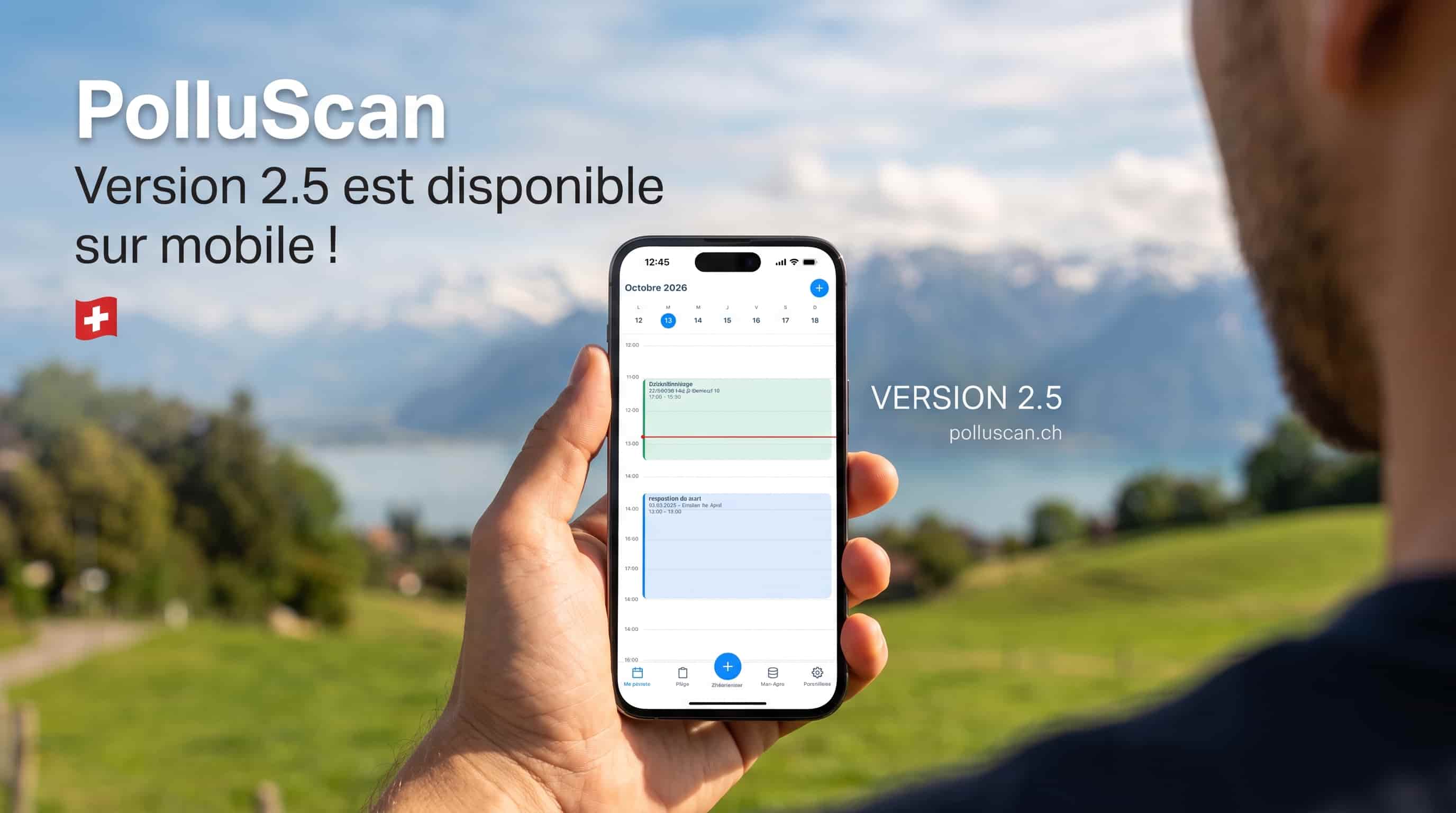
PolluScan 2.5 has been available on iOS and Android since 13 October 2026. It mostly changes everyday work on site. You plan your week faster. You record XRF readings without leaving sampling. You find your samples more easily. Below, we go through each screen that changes.
My day becomes a calendar
The My day tab now shows all your inspections for the week. Each one sits at its time, with the diagnostic it belongs to. You can see straight away when you are busy and when you are free.
To add an inspection, press and hold an empty slot. A block appears on the grid. You can move it or stretch it in 30-minute steps. If you would rather fill in a form, tap the + button.
Tap an inspection to open it. It gives you directions to the building in Apple Maps, Google Maps or Waze. One button starts quick sampling on the right diagnostic. Another button lets you edit the inspection.
Here is a real-life case. On Monday, you receive a diagnostic to carry out before the renovation of a 1968 apartment building in Lausanne. You open My day and see that Thursday morning is free. You drag the inspection into place with your finger. On Thursday, you open the inspection and start the directions. Once on site, you begin sampling from the same screen.
XRF readings in quick sampling
For heavy metals, quick sampling now offers two methods. The first is classic sampling, with the sample sent to the lab. The second is an XRF reading, taken with a handheld X-ray fluorescence analyser. This device gives the lead content of a paint on the spot, without removing anything.
With the XRF method, you enter the value shown on the analyser. You can also photograph its screen to keep proof of the reading. PolluScan compares the value with your pollution threshold and suggests “Polluted” or “Not polluted”. It is only a suggestion, and you can change it.
Every analyser has an error margin. If the threshold falls within that margin, the reading cannot settle the question. PolluScan then shows “Uncertain” and advises taking a sample. You then decide whether to measure again or send a sample to the lab.
The unit, error margin and threshold are set in XRF settings. They stay saved from one inspection to the next, so you do not have to enter them again. The right threshold depends on the canton where the building stands. In Geneva, the SABRA directive sets the limit at 500 µg/cm² of total lead, measured by XRF. If you work in several cantons, check the threshold before you start.
Our article on the FOPH and Suva lead fact sheets explains these rules in detail. It also shows which analysers the Geneva directive accepts and which checks it requires before and after measuring.
Pick the room without leaving sampling
Quick sampling also has a new Room field. You choose a room that already exists in the building. If it does not exist yet, you create it straight from the search. You no longer need to leave sampling to add a room.
One sample list, with filters
On a plan, a level or a diagnostic, samples now appear in a single list. They are sorted by QR code number, and number 2 now comes before number 10. The old collected and not-collected columns are gone. So are the sections by pollutant.
Instead, filters sit just below the title. You can filter by pollutant, by collection status or by plan. Filters stay in place when you pull the list down to refresh it. If no sample is left on screen, tap “Clear filters”.
To handle several samples at once, tap “Select” at the top of the list. Tick the samples you want. You can then duplicate or delete them in one go.
On the home screen, the diagnostic list can also be filtered by status. This helps you find your ongoing diagnostics when the list gets long.
Your custom pollutants on mobile
Your organisation can create its own pollutants in the web dashboard. These pollutants now also appear in the mobile app, in every pollutant list. On plans, they keep the icon, colours, label and zone pattern chosen on the web. They stay available when you work offline.
Settings on a full page
The menu that slid in from the side of the screen has been removed. The Settings tab now opens a full page. The back arrow always takes you to the screen you came from.
When you are offline, settings that need the internet tell you so. Before, they did not respond and nothing explained why. The Security and Legal section stays available without a connection, and you can still log out.
Fixes
This version also fixes several problems reported by users.
- Editing a sample that was already part of a lab order could cause an error.
- A sample linked to a room or element type created offline now keeps that link after syncing.
- An XRF sample is marked as analysed only once it has a reading or a verdict.
- At startup, the app once again restores the last pollutant, material, analysis method and XRF settings used.
- On iPad, the steps for creating an order and choosing a diagnostic in the calendar now display correctly.
- Side panels fit back into place when you rotate the device.
The app also moves to a new version of its technical foundation, Expo SDK 58.
Install the update
To move to version 2.5, update PolluScan from the App Store or Google Play. If the update does not show up yet, try again a little later. Your diagnostics, samples and settings are kept.
Source
The threshold of 500 µg/cm² of total lead measured by XRF comes from the Canton of Geneva SABRA directive “Diagnostic plomb avant travaux”, version 2.2, April 2024. Other cantons may apply a different threshold. Set the threshold of the building's canton in PolluScan.